

If you want to windows 10 enterprise activation key not working fix, encountering invalid product key errors, error code 0xC004F050, or failed volume licensing checks can severely interrupt your system workflow. If you have been searching for an effective method to windows 10 enterprise activation key not working fix, you are in the right place. This frustrating enterprise licensing issue typically occurs due to mismatched Windows edition builds, unreachable KMS (Key Management Service) host servers, blocked Microsoft activation ports, or corrupted system licensing token files. windows 10 enterprise activation fix.
In this comprehensive guide, we will walk you through the top troubleshooting steps to validate your volume license key and restore active Windows 10 Enterprise status.
Table of Contents
What Causes Windows 10 Enterprise Activation Key Errors?
Before applying the fixes, understanding why this happens helps:
Edition Mismatch (Pro vs. Enterprise): Attempting to enter a retail Windows 10 Pro key onto an Enterprise installation (or vice versa), triggering error
0xC004F050.Unreachable KMS Host Server: Organizational devices failing to connect to the internal KMS licensing server via port
1688or corporate VPN.Corrupted Software Protection Tokens: Damaged
tokens.datfiles preventing Windows from verifying genuine MAK (Multiple Activation Key) or GVLK credentials.
Top Methods to Apply Windows 10 Enterprise Activation Key Not Working Fix
Method 1: Install and Activate the Product Key via Command Prompt
Bypassing the graphical Settings menu and forcing key installation directly through slmgr.vbs resolves UI validation bugs:
Press
Win + S, typecmd, right-click Command Prompt, and select Run as administrator.Type
slmgr /ipk XXXXX-XXXXX-XXXXX-XXXXX-XXXXX(replace the X’s with your valid 25-character Enterprise MAK or GVLK key) and press Enter.Wait for the pop-up confirming “Installed product key successfully”.
Next, type
slmgr /atoand press Enter to force online activation.Verification: Run
slmgr /xprin Command Prompt to confirm that Windows reports either permanent activation or a valid volume activation expiration date.
Method 2: Run the Built-in Windows Activation Troubleshooter
“Using the built-in troubleshooter is another effective windows 10 enterprise activation fix that clears common Microsoft server communication errors: “Checking for digital license mismatches and synchronizing hardware IDs clears common Microsoft server communication errors:
Press
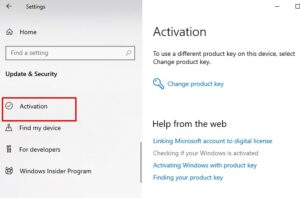
Win + Ito open Settings, then navigate to Update & Security > Activation.Click the Troubleshoot link located below the Windows edition status message.
Follow the on-screen diagnostic steps and sign in with your linked administrator account if prompted.
Verification: Refresh the Activation Settings page to confirm the red error notice disappears and Windows shows “Windows is activated”.
Method 3: Rebuild Corrupted Activation Token Files (tokens.dat)
Regenerating damaged system licensing files resolves persistent key rejection issues caused by corrupted system updates:
Open Command Prompt as administrator.
Stop the Software Protection service by typing
net stop sppsvcand pressing Enter.Rename the corrupted token file by typing:
ren C:\Windows\System32\spp\store\2.0\tokens.dat tokens.barRestart the service by typing
net start sppsvc, then runslmgr /atoto reactivate.Verification: Restart your PC and check System Properties (
Win + Pause) to ensure your Enterprise edition displays an active product ID.Af you,re also experiencing other windows 10 & 11 Best Ways: Fix Windows 11 Bluetooth Keeps Disconnecting
Frequently sked Questions (FAQs)
Q: Why am I getting error code 0xC004F050 when entering my Windows 10 Enterprise key?
A: Error 0xC004F050 means the product key you entered is invalid or does not match the currently installed Windows edition (for example, using a Windows 10 Home or Pro retail key on Windows 10 Enterprise).
Q: Can I activate Windows 10 Enterprise using a standard retail product key?
A: No, Windows 10 Enterprise strictly requires Volume Licensing keys (MAK or KMS). Retail keys only work on Windows 10 Home or Windows 10 Pro editions.
Conclusion
Keeping your enterprise operating system properly licensed ensures full access to security updates and administrative features. By mastering these techniques to windows 10 enterprise activation key not working fix, you can eliminate annoying activation watermarks and maintain seamless system stability. “Staying proactive with modern diagnostic tools provides a reliable windows 10 enterprise activation fix and guarantees long-term PC stability.”
Important Note:
If your organization uses KMS volume licensing, ensure your PC is connected to your company’s internal network or corporate VPN before running
slmgr /ato.
Final Thoughts on Enterprise Activation and Licensing Health
To wrap it up, maintaining valid volume licensing credentials and clean system protection tokens is crucial for uninterrupted enterprise computing. By proactively verifying edition compatibility and applying Command Prompt activation commands when needed, you protect your workflow against sudden feature locks and maintain peak digital efficiency. Always keep regular backups of your system configuration before modifying core system store files. Staying proactive with modern diagnostic tools guarantees long-term PC stability and peace of mind.