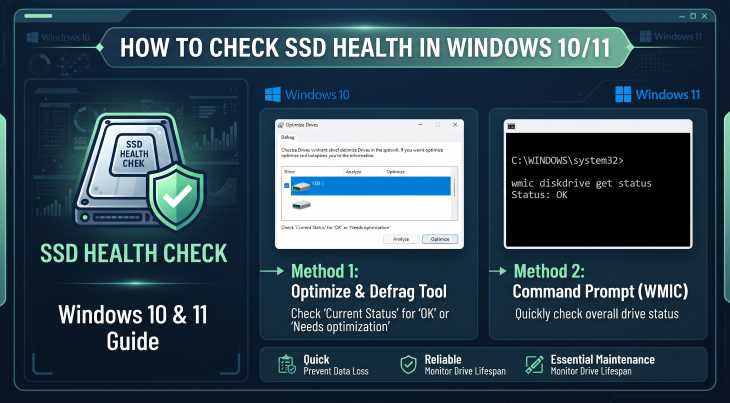
Monitoring your solid-state drive’s performance and lifespan is essential to prevent sudden data loss. Over time, heavy workloads degrade drive performance, making it crucial to know how to check ssd health windows 10 11 accurately.
In this comprehensive guide, we will walk you through the top methods to check your SSD health on Windows 10 and 11 computers.
Table of Contents
Why Check Your SSD Health?
Before applying checks, understanding the benefits helps:
Prevent Data Loss: Catch failing drives before they crash completely.
Monitor Wear Levels: Track the remaining lifespan (TBW) of your storage.
Optimize Performance: Ensure your PC runs smoothly without lag.
Top Ways to Check SSD Health in Windows 10 and 11
Method 1: Using Command Prompt (Built-in Tool)
Windows has a built-in utility to check drive status:
Open Command Prompt as administrator (press
Win + S, typecmd, and select Run as administrator).Type the command:
wmic diskdrive get statusand press Enter.If it returns OK, your drive is functioning normally.

Method 2: Using Windows Settings (Drive Optimization)
Windows 10 and 11 let you check drive optimization and health status directly:
Open Settings (
Win + I).Go to System > Storage > Advanced storage settings > Drive optimization.
Review the current health and optimization status of your listed SSD partitions.
Method 3: Using Third-Party Tools (CrystalDiskInfo)
For detailed metrics like temperature, read/write stats, and health percentage:
Download and install a trusted tool like CrystalDiskInfo.
Launch the application and check the health status indicator (Good, Caution, or Bad) for your SSD.
Method 4: Using Manufacturer Software
Most major SSD brands provide dedicated diagnostic suites: how to check ssd health windows 10 11.
Download official software like Samsung Magician, Kingston SSD Manager, or Western Digital Dashboard.
Open the utility to inspect lifetime remaining and real-time drive diagnostics.
- If you’re also experiencing other Windows 10 or 11 Activation Problems How to Fix Windows CHKDSK Stuck at 10 Percent,
Frequently Asked Questions (FAQs)
Q: What does “Good” status mean in CrystalDiskInfo?
A: It means your SSD is operating within safe health parameters and has plenty of write lifespan remaining.
Q: How often should I check my SSD health?
A: Checking it once every few months is usually sufficient unless you notice system slowdowns or strange errors.
Conclusion
Keeping an eye on your storage reliability ensures long-term system stability. By mastering how to check ssd health windows 10 11 techniques, you can protect your personal files and avoid catastrophic hardware failures. For additional support, visit Microsoft Support.
Conclusion Summary on Storage Monitoring
To wrap it up, maintaining a healthy solid-state drive is crucial for seamless daily operations. By proactively using built-in command tools or dedicated manufacturer utilities, you protect your valuable data against unexpected system failures and maintain maximum operating speed.
Important Note:
Regular maintenance checks and timely hardware monitoring keep your storage solid-state drives healthy and prevent unexpected operating system downtimes. how to check ssd health windows 10 & 11
Additional Tips for Long-Term SSD Longevity
Maintaining your solid-state drive goes beyond basic monitoring. To ensure your hardware performs at its peak for years, avoid filling your drive to its absolute maximum capacity—always leave at least 10% to 15% of free space for caching and wear leveling. Additionally, make sure your motherboard BIOS and storage drivers are regularly updated to prevent compatibility conflicts and firmware bugs. By following these preventive measures alongside regular health checks, you can significantly extend the lifespan of your storage drive and protect your valuable operating system files from unexpected corruptions.