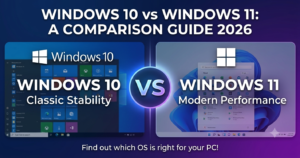
Choosing between operating systems is a crucial decision for modern desktop and laptop users. As software demands evolve, understanding a detailed **Windows 10 vs Windows 11 comparison 2026** helps you evaluate whether upgrading offers tangible benefits for your daily workflow, productivity, and gaming performance.
In this comprehensive guide, we present a complete **Windows 10 vs Windows 11 comparison 2026** covering six major system differences.
—
## Table of Contents
* [Overview of Both Operating Systems](#overview)
* [Windows 10 vs Windows 11 Comparison 2026: 6 Key Differences](#differences)
* [Frequently Asked Questions (FAQs)](#faq)
* [Conclusion](#conclusion)
—
## Overview of Both Operating Systems
While Windows 10 remains a stable and reliable platform powering millions of devices worldwide, Windows 11 introduces a modernized visual layout, streamlined window management, and tighter hardware-level security integration. Evaluating a proper **Windows 10 vs Windows 11 comparison 2026** ensures you make the right choice based on your hardware capabilities.
—
## Windows 10 vs Windows 11 Comparison 2026: 6 Key Differences
Here is a breakdown of how both operating systems compare across key technical categories:
### 1. User Interface and Centered Taskbar
Windows 11 redesigns the desktop interface with centered taskbar icons, rounded window corners, and a simplified Start Menu. Windows 10 maintains the classic left-aligned Start menu with live tiles and traditional system tray elements.
### 2. System Hardware Requirements and TPM 2.0
One of the most notable aspects of any **Windows 10 vs Windows 11 comparison 2026** is hardware accessibility. Windows 11 strictly requires a compatible 64-bit CPU, 4 GB RAM, UEFI Secure Boot, and a hardware-based TPM 2.0 module. Windows 10 runs smoothly on older legacy hardware without strict security module constraints.
### 3. Multitasking Tools: Snap Layouts vs Traditional Windows
Windows 11 elevates productivity with Snap Layouts and Snap Groups, allowing users to arrange multiple open windows instantly into structured grid formats. Windows 10 supports basic side-by-side snapping but lacks predefined multi-monitor layouts.
### 4. Gaming Performance: DirectStorage and Auto HDR
For gamers, Windows 11 incorporates native gaming features inherited from Xbox consoles, including Auto HDR for richer colors and DirectStorage for ultra-fast SSD asset loading. Windows 10 supports DirectX 12 but lacks deep native integration for these fast loading features.
### 5. Security Integration and Virtualization Controls
Security architecture forms a core pillar in this **Windows 10 vs Windows 11 comparison 2026**. Windows 11 enables VBS (Virtualization-based Security) and HVCI (Hypervisor-enforced Code Integrity) out of the box to prevent memory exploitation attacks, whereas Windows 10 leaves these features optional to maintain performance on older hardware.
### 6. Android App Support and Widget Feeds
Windows 11 features a dedicated Widgets panel for real-time weather, news, and calendar updates. Additionally, it supports running Android applications via sub-system integration, a capability not natively available on Windows 10.
## Frequently Asked Questions (FAQs)
### FAQ 1: Is Windows 11 faster than Windows 10 for daily productivity?
*Ans:* On modern multi-core processors, Windows 11 offers better memory management and background task scheduling, making foreground applications feel more responsive compared to Windows 10.
### FAQ 2: Is it mandatory to upgrade to Windows 11 immediately?
*Ans:* No. Windows 10 remains fully functional for standard computing tasks, though upgrading ensures access to the latest security protocols and performance enhancements.
—
## Conclusion
Conducting a thorough **Windows 10 vs Windows 11 comparison 2026** reveals that while Windows 10 offers high compatibility for legacy systems, Windows 11 provides a superior desktop experience for newer hardware. Upgrading allows users to benefit from modernized UI elements, faster storage loading, and robust system security protocols.
Analyzing this **Windows 10 vs Windows 11 comparison 2026** ensures you choose the right OS setup for your productivity and gaming needs.
**Pro Tip:** For official feature breakdowns and system compatibility tools, check the official [Microsoft](https://www.microsoft.com) product portal.