
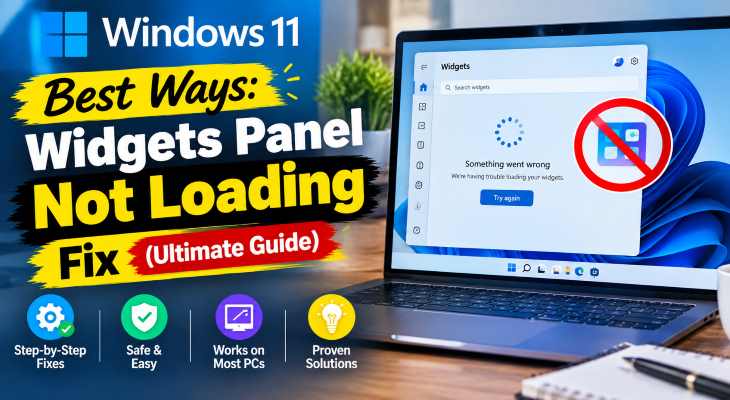
If you want to windows 11 widgets panel not loading fix, encountering a blank dashboard or failing weather and news feeds when pressing the taskbar button can severely disrupt your daily workflow. If you have been searching for an effective method to windows 11 widgets panel not loading fix, you are in the right place. This frustrating desktop issue typically occurs due to corrupted WebView2 runtime components, misconfigured Microsoft account sign-in states, or outdated Windows system application packages.
In this comprehensive guide, we will walk you through the top troubleshooting steps to resolve the dashboard loading error on your Windows 11 computer and restore your personalized widgets feed.
Table of Contents
What Causes Windows 11 Widgets Panel Not Loading Issues?
Before applying the fixes, understanding why this happens helps:
Corrupt Microsoft WebExperience Pack: Outdated or broken system app components preventing the feed interface from rendering.
WebView2 Runtime Failures: Missing underlying rendering engines required to display interactive widget elements.
Account Sync Discrepancies: Microsoft account authentication loops blocking personalized news and weather widgets.
If you’re also experiencing other Windows 10 & 11 Best Ways: Fix Windows 11 Night Light Grayed Out (Ultimate Guide)
Top Methods to Apply Windows 11 Widgets Panel Not Loading Fix
Method 1: Reinstall the Windows Web Experience Pack
Refreshing the core application package via PowerShell is the most effective solution:
Open PowerShell as administrator (press
Win + S, typepowershell, and select Run as administrator).Type or paste the following command to remove the broken package:
Get-AppxPackage Microsoft.Windows.WebExperiencePack | Remove-AppxPackageand press Enter.Next, open the Microsoft Store app, search for Windows Web Experience Pack, and click Install to get the fresh package.
Method 2: Reset or Repair Microsoft Edge WebView2 Runtime
Since widgets rely heavily on Edge rendering components, repairing WebView2 restores interface stability:
Open Windows Settings (press
Win + I).Navigate to Apps > Installed apps.
Search for Microsoft Edge WebView2 Runtime, click the three dots menu, select Modify, and choose Repair.
Method 3: Enable Widgets via Group Policy or Registry
Ensuring the widget feature is globally enabled within your system policies prevents blockages:
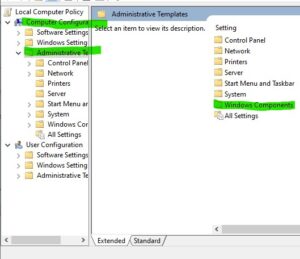
Press
Win + R, typegpedit.mscand press Enter (Note: Group Policy Editor is available in Pro/Enterprise editions).Go to Computer Configuration > Administrative Templates > Windows Components > Widgets.
Double-click Allow widgets, set it to Enabled or Not Configured, and restart your PC.
Frequently Asked Questions (FAQs)
Q: Why is my Windows 11 widgets panel showing a blank screen?
A: A blank screen usually happens because the underlying Microsoft Web Experience Pack or WebView2 runtime components have crashed or become corrupted.
Q: Do I need a Microsoft account to use the widgets panel?
A: Yes, viewing personalized feeds, weather updates, and calendar integrations requires you to be signed into your active Microsoft account.
Conclusion
Keeping your desktop widgets and information feeds fully operational ensures quick access to essential daily updates. By mastering these techniques to windows 11 widgets panel not loading fix, you can resolve interface crashes and keep your system dashboard running smoothly.
Important Note:
Always maintain regular system backups and keep your Microsoft Store apps updated to prevent unexpected widget loading failures during major feature updates.
Final Thoughts on Desktop Customization and System Health
To wrap it up, maintaining a fully functional and optimized widget ecosystem is crucial for seamless daily operations and quick information delivery. By proactively reinstalling core web experience packages and repairing system runtimes, you protect your workflow against unexpected feature blocks and maintain maximum digital efficiency. Always keep regular backups of your important configuration files before executing deep system modifications or registry edits. Staying proactive with modern diagnostic tools guarantees long-term digital efficiency and peace of mind.